How my git workflow changed when I work with AI agents
git worktree was a power-user feature I ignored for ten years. Running agents in parallel turned it into the native git command I use most. Here is the real flow.

Dioni
Updated:
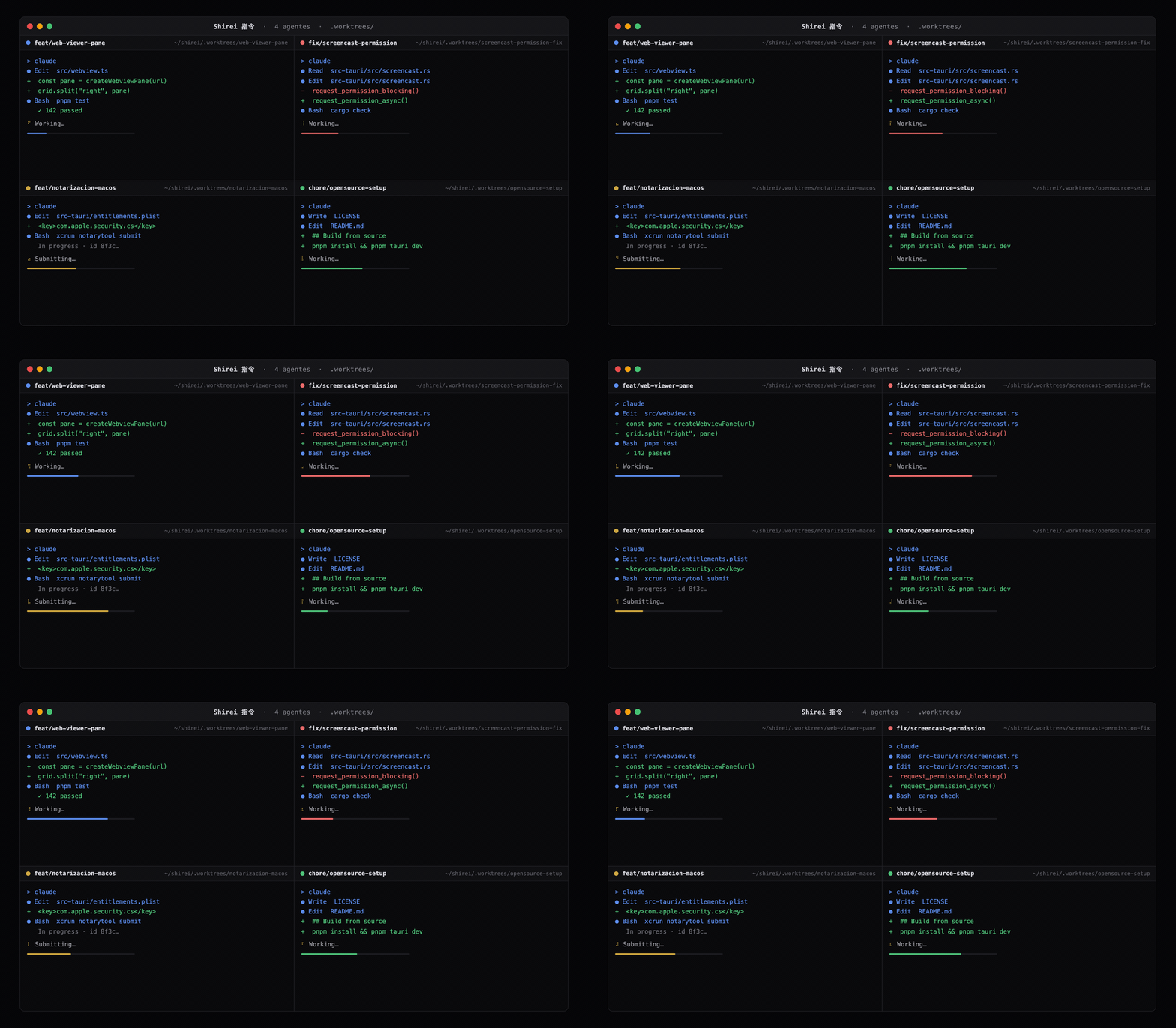
These days I run several agents at the same time on the same project. One fixing a bug, another building a different feature, each one in its own little world... that's how I work day to day, and I doubt I'm the only one.
The problem is that all of them want to write files at the same time, and when that happens the headaches start: file collisions. It's not the model or the quality of the code that breaks first... it's that they all share a single working directory, and the moment two agents touch the repo in parallel, they start stepping on each other's changes.
The agentic era changed the workflow, and we've had to adapt to it, the git flow most of all, more than I would have expected... When there's more than one agent editing different features, isolating the work stops being a luxury and becomes the condition for nothing to overlap. What solves exactly this we've had in git for a long time, and here I explain why it matters and why worktrees are necessary, because I talk with colleagues, I look at how devs work, and it surprises me how few are adopting it as part of their flow.
A git worktree lets you have several working directories connected to the same repository: same history, same object database, a different branch in each one, all at the same time.
Shirei, my cockpit for running agents, is where I live this flow every day. Right now I have the feat/web-viewer-pane branch running in its own .worktrees/web-viewer-pane folder, right next to my main checkout, which stays clean while an agent works in there.
Before, that was a dispensable luxury. With agents these days, it became an absolute must.
Let me show you the flow I use, and why I think it stopped being optional.
Branches simply aren't enough anymore
For most of my career, context-switching was a solved problem. I'm deep in a feature, a bug comes in, I git stash, switch branch, fix it, come back and git stash pop. Clumsy, but it works, because there's one pair of hands writing code, one working tree, and one thing happening at a time. The tree was never contended, simply because I was the only one standing on it.
That assumption held for a long time. In this new era, not anymore.
When you run an AI agent, the working tree gets a second occupant: the agent reads your files, runs commands, and writes changes while you watch or while you step away to do something else. Now picture two or more of them, on two tasks that have nothing to do with each other. One is adding the web viewer pane, the other is fixing the screencast permission on macOS (features of Shirei I'm building), and both share the same set of files. The first git checkout to switch a branch yanks the floor out from under both of them at once.
The problem is that a single working directory is a shared resource, and without noticing I had started running several concurrent agents on it.
What a worktree actually is
The mechanics are simpler than the reputation suggests. A repository has one main worktree, the one git clone gave you, and it can have as many linked worktrees as you want. They all share the same .git object database and the same branch refs. What each worktree keeps to itself is small but decisive: its own HEAD, its own index, and its own checked-out files on disk, and that's why it matters today.
Let me crack it open, because this is where every doubt gets cleared. What follows comes straight from Shirei, running a real flow on the feat/web-viewer-pane branch.
The first surprise is that the .git inside a worktree is not a folder, it's a one-line file.
$ cat .worktrees/web-viewer-pane/.git
gitdir: project/shirei/.git/worktrees/web-viewer-pane
That pointer is everything that connects the worktree to the real repository. Each worktree's own state lives inside the main repo, in .git/worktrees/<name>/, and that's exactly what is NOT shared.
$ ls .git/worktrees/web-viewer-pane/
HEAD  ORIG_HEAD  commondir  gitdir  index  logs/  refs/
HEAD and index belong to that worktree and no one else. The commondir file points back to the shared .git, where the objects and the real branches live. And you don't have to guess anything, git tells you straight.
$ git rev-parse --git-dir
project/shirei/.git/worktrees/web-viewer-pane
$ git rev-parse --git-common-dir
project/shirei/.git
The first is private to this worktree, the second is shared by all of them. The mental rule that works for me: everything under refs/ is shared, and pseudo-refs like HEAD are private to each worktree. That's why git rev-parse --git-path HEAD resolves to a path inside the worktree, while refs/heads/main lands in the common .git. The fine exception, in case you ever need it: refs/bisect, refs/worktree and refs/rewritten are not shared either, and thanks to that you can run a git bisect or a rebase in one worktree without dirtying the other's state.
So one repo, one shared history, many directories, each on its own branch and with its own HEAD. No re-clone, no re-fetch, no stash dance to move between them.
There's a myth I'd rather kill right here, because it left me with a wrong mental model for a good while... Worktrees do not save disk by sharing files. They share the object database and the refs, not the working directory, and that's why each worktree is a full checkout. Your node_modules, your dist, your build artifacts, your .env, none of that is shared. Cheap on history, full price on the checkout. Hold that thought, it matters later.
One real constraint worth knowing right away: you can't have the same branch checked out in two worktrees at once... git refuses, and it's right to, because each worktree has its own HEAD but they share the same branch ref, so two worktrees on the same branch would end up stepping on each other's commits. If you genuinely need two trees on the same commit, use detach: git worktree add --detach <path> <commit>. The thing that has to be unique is the branch, not the commit.
git worktree vs a plain branch
The question that always comes up is why not just use more branches. The answer is that a branch and a worktree solve different halves of the same problem.
A branch is a label on a commit, and switching to it mutates the only working directory you have. A worktree is a whole separate working directory that also happens to be on its own branch. The branch gives you logical isolation. The worktree gives you physical isolation. When the thing writing your files is autonomous and there are two of them, logical is not enough, because you want the files themselves to live in different places.
My take... if you're the kind who does one thing at a time, branches with git stash are still the right tool, and reaching for a worktree is over engineering... The worktree earns its place the moment you have multiple workflows in one project, or one running long while you keep working somewhere else. And that is exactly the shape agentic work takes.
The best proof that this is real and not a quirk of mine is that the top tools built it in by default... Claude Code and Cursor shipped native worktree support in 2026, and nobody adds a primitive to their product unless their users keep hitting the wall it solves. Branches weren't enough... so the agents learned to spin up worktrees on their own.
My git worktree flow
This is the flow that comes out of my own working doc.
First I create the worktree on a short branch, starting from an up-to-date main.
git fetch origin
git worktree add .worktrees/web-viewer-pane -b feat/web-viewer-pane origin/main
cd .worktrees/web-viewer-pane
git worktree add does two things in one step: it creates the .worktrees/web-viewer-pane folder with a full checkout, and it creates the branch there. The -b feat/web-viewer-pane flag is the new branch, and origin/main is the clean starting point. When you step into that folder you're already standing on your branch, isolated from everything else.
Then I prepare the environment. Each worktree is born without node_modules, so I install the packages.
pnpm installAnd here comes the work itself. I edit, the agent edits, I commit, all inside this tree. My main checkout never even notices.
git add -A
git commit -m "feat(web-viewer): render the web view pane"
The part that changed my day to day the most is how you jump between tasks. It used to be git stash, git checkout other-branch, work, come back. With worktrees there's no checkout and no stash: you change folders. Each worktree is already on its branch, waiting for you exactly as you left it.
cd ../screencast-permission-fix # or open another terminal, or another agent sessionWhen the branch is ready, I integrate it like any other: push and PR, or a local merge to main.
git push -u origin feat/web-viewer-paneAnd when I'm done, I close the worktree. There are three commands here worth understanding separately, because this is where people get it wrong.
git worktree list                              # shows every worktree and which branch each is on
git worktree remove .worktrees/web-viewer-pane # safe delete: refuses if there are uncommitted changes
git worktree prune                             # clears orphaned metadata if you deleted by hand
git worktree list is your map: it tells you which trees you have open and where each one is standing. git worktree remove is the correct way to delete one, because it removes the checkout AND the internal metadata git keeps in .git/worktrees/, and it protects you on the way by refusing if there's still uncommitted work.
What I never do, and what you shouldn't do either, is rm -rf on the folder. If you delete the worktree by hand, the checkout disappears but the metadata stays dangling, and git keeps believing that worktree exists. That's where git worktree prune comes in, picking up those orphaned pieces. It's the recovery plan, not the normal flow. One rule I always follow: I step out of the worktree directory before removing it.
There are a couple of things I learned to always do.
I keep them all in a .worktrees/ folder next to the repo, and I add that folder to the gitignore, together with .claude/worktrees/, which is where Claude Code drops its own. Worktrees aren't content, they're working checkouts, and putting them in the repo would just be noise.
If you live inside Claude Code, the native path is a single flag. claude --worktree web-viewer-pane creates a worktree under .claude/worktrees/web-viewer-pane and starts a session in it. One detail the blogs keep getting wrong: the branch it creates is named worktree-web-viewer-pane, with the prefix, not just the bare name you passed.
Secrets don't travel by default, because they're gitignored, so a .worktreeinclude file (same syntax as .gitignore) tells it which ones to copy into each new worktree. And if you point an agent at its own isolated tree with isolation: worktree, it gets a temporary worktree that cleans itself up when it finishes without leaving changes behind.
Commands I don't use daily, but keep mapped
The flow above covers 90% of my days. The rest of the command surface exists for when something steps off the normal path, and it's worth knowing so it doesn't catch you off guard.
git worktree list --porcelain gives you the same list as list, but in a stable, parseable format, ideal if you want to script over your worktrees instead of reading them by eye.
$ git worktree list --porcelain
worktree project/shirei
HEAD 0e1fdbf8a2a7e26a40932a7a0ad3fca0658ab90f
branch refs/heads/main
git worktree lock and unlock are for when a worktree lives on an external disk or a network share that isn't always mounted. The lock keeps prune from deleting its metadata thinking the tree vanished. If you work everything locally, you'll probably never touch them.
git worktree move relocates a worktree to another path without breaking the pointers, with one important caveat: it won't move the main worktree, nor one that has submodules.
git worktree repair is the panic button. If you moved folders by hand and the pointers ended up pointing at nothing, you run it from the main repo and it rebuilds the connections, instead of you editing the gitdir files by hand.
And --force: several subcommands ask for it once to skip a guard, and twice for the more delicate cases. To remove a worktree with uncommitted changes, remove --force. To remove one that's also locked, --force twice. The twice rule is literal, and it's worth keeping in mind before you fight git thinking it's broken.
The node_modules cost, and how you pay it
Remember "full price on the checkout". This is where the bill arrives.
Each worktree is a full checkout, so each worktree wants its own node_modules. Open two worktrees on a real project and suddenly the heaviest thing on your disk is three copies of the same dependencies. This is the number-one reason people try worktrees once and walk away and never think about them again, and it's a fair complaint.
The fix comes from the package manager. pnpm has a global virtual store, and turning it on means each worktree's node_modules is just symlinks into a single store.
# pnpm-workspace.yaml
enableGlobalVirtualStore: true
With that on, spinning up a fresh worktree and running pnpm install is instant and costs nothing in disk. The dependency cost is the real objection against worktrees, and this is the answer to it.
Now, there's a cost that isn't solved, or at least I haven't solved it yet: ports and local services... watch out for this one, filesystem isolation is not service isolation. Each worktree that boots a dev server fights for the same port, and if they all talk to one database, they collide there too. There's no magic flag for this :( , so the port parametrization per worktree has to be done by hand. Worth knowing beforehand.
When a worktree is overkill
I'm not going to pretend I always run this the same way. Like anything, you need judgment. A worktree is overkill for a one-file edit you solve in 30 seconds, it's overkill when you work serially, one task fully finished before starting the next. For those, the normal way and git stash with a branch are lighter and faster, and reaching for a worktree just adds folders you'll have to clean up later.
The rule I've landed on is this: a worktree whenever I have two or more agents on genuinely separate tasks, or one running long while I keep working somewhere else. Outside that, a branch is enough. The point isn't "always use worktrees", the point is knowing when to reach for it so you don't run into problems and lose or complicate work.
The part I keep coming back to
These days I run a lot of agents and my workflow has mutated over the last few months. Some weeks the bottleneck isn't the model, it's me being the only one working.
If you're running agents and you've never set one up, this is the highest-return hour you can invest, because the feature already comes installed, it's native git, and there's no new tool to learn past five commands.
Because the working tree stopped being only mine... and worktrees are how each agent gets its own...