Shirei
A keyboard-first terminal cockpit for AI coding sessions.
The inverse of an IDE: Shirei puts the AI CLI session at the center and keeps the editor, files, and search as satellites, so you never leave the cockpit. Bring your own CLI; no keys stored, no lock-in.
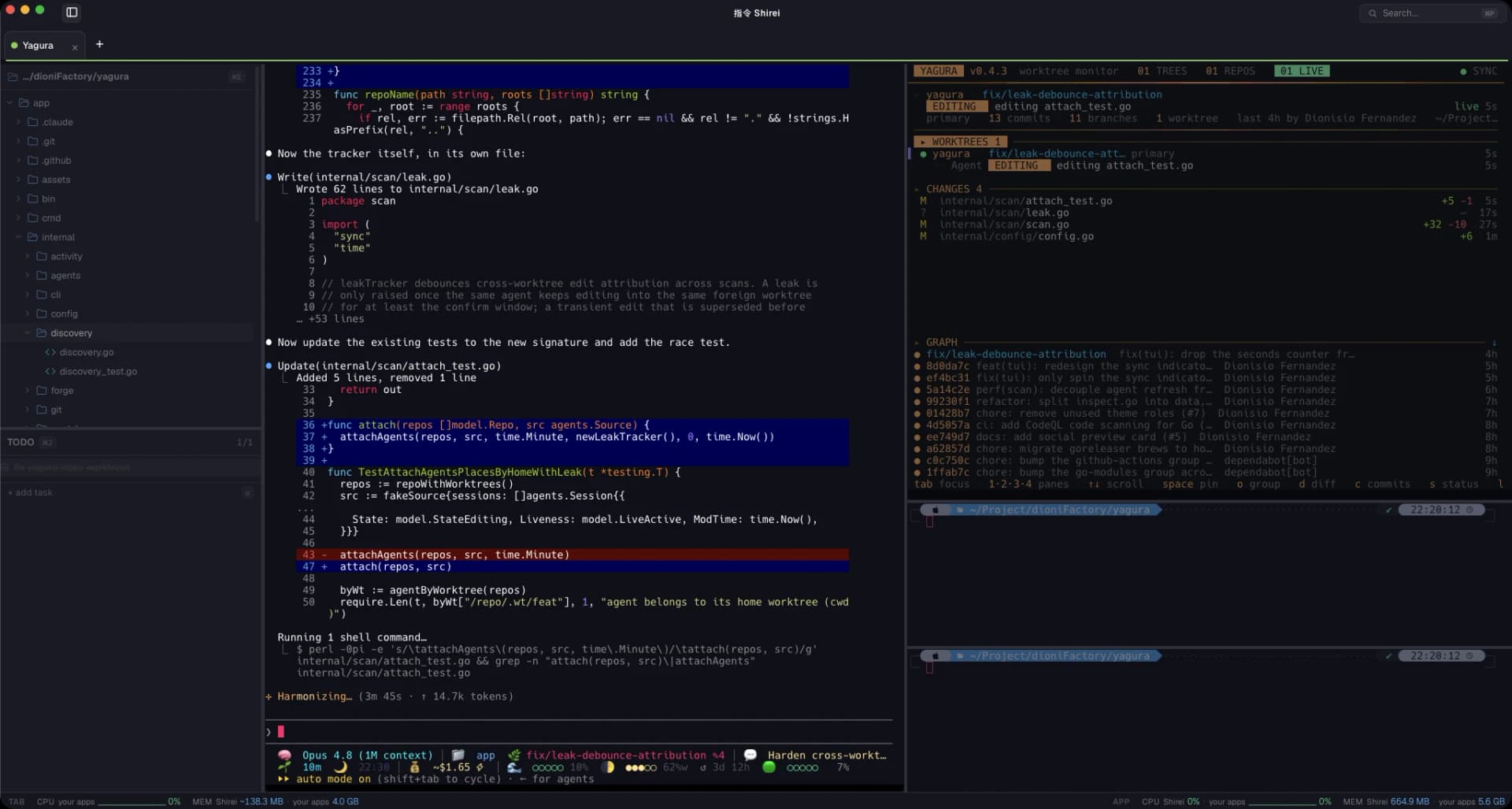
The session at the center
Your work, exactly where you left it
- Per-project layouts recreate their panels, plus the programs they run, on launch.
- Session snapshots: on reopen, every pane returns to its folder and relaunches what it was running.
- The window survives close. It hides and returns from the dock with the session intact.
Files, without leaving
See the code without switching apps
- A file tree (Cmd+B) for the active terminal's directory, fully keyboard-navigable.
- A light editor (CodeMirror), an image viewer and a media player, opened in tabs that reopen on restart.
- A command palette (Cmd+P) to launch a project or jump to any file, without cluttering the screen.
What's in the cockpit
Keyboard-first
Every frequent action has a shortcut, following the conventions you already know from your terminal and editor. No mouse required.
Splittable, memorable panels
Split right or down, move between panes, zoom into one. The layout you arrange is the layout that comes back.
Command palette
Cmd+P launches a project or jumps to a file in the active directory. Surf between projects without leaving the keyboard.
Edit and preview inside
A light CodeMirror editor with syntax highlighting and save, plus image and media viewers. No more VSCode open just to look.
Built-in screen recording
Capture a pane, the window, or a region to MP4 or GIF, keyboard-triggered (Ctrl+Cmd+R), with a live indicator.
Impeccable rendering
xterm.js on a WebGL renderer, so box-drawing, tool-call trees and full-screen TUIs render exactly right. Pure-black by default.
Build from source
Install deps
$ pnpm install
Run
$ pnpm tauri dev
Bundle
$ pnpm tauri build
Built with
指令
Run the CLI you already use
Shirei owns no model and stores no keys. Long sessions, multi-agent, multi-project: everything in view, in one cockpit. MIT.

Made by Dioni, an indie dev. Tools I build because I use them every day.