Shirei: the terminal I built to stop losing sight of my agents
My terminal for multi-agent, multi-project AI coding sessions: light, everything in view, and never losing track of what runs in parallel.

Dioni
Updated:
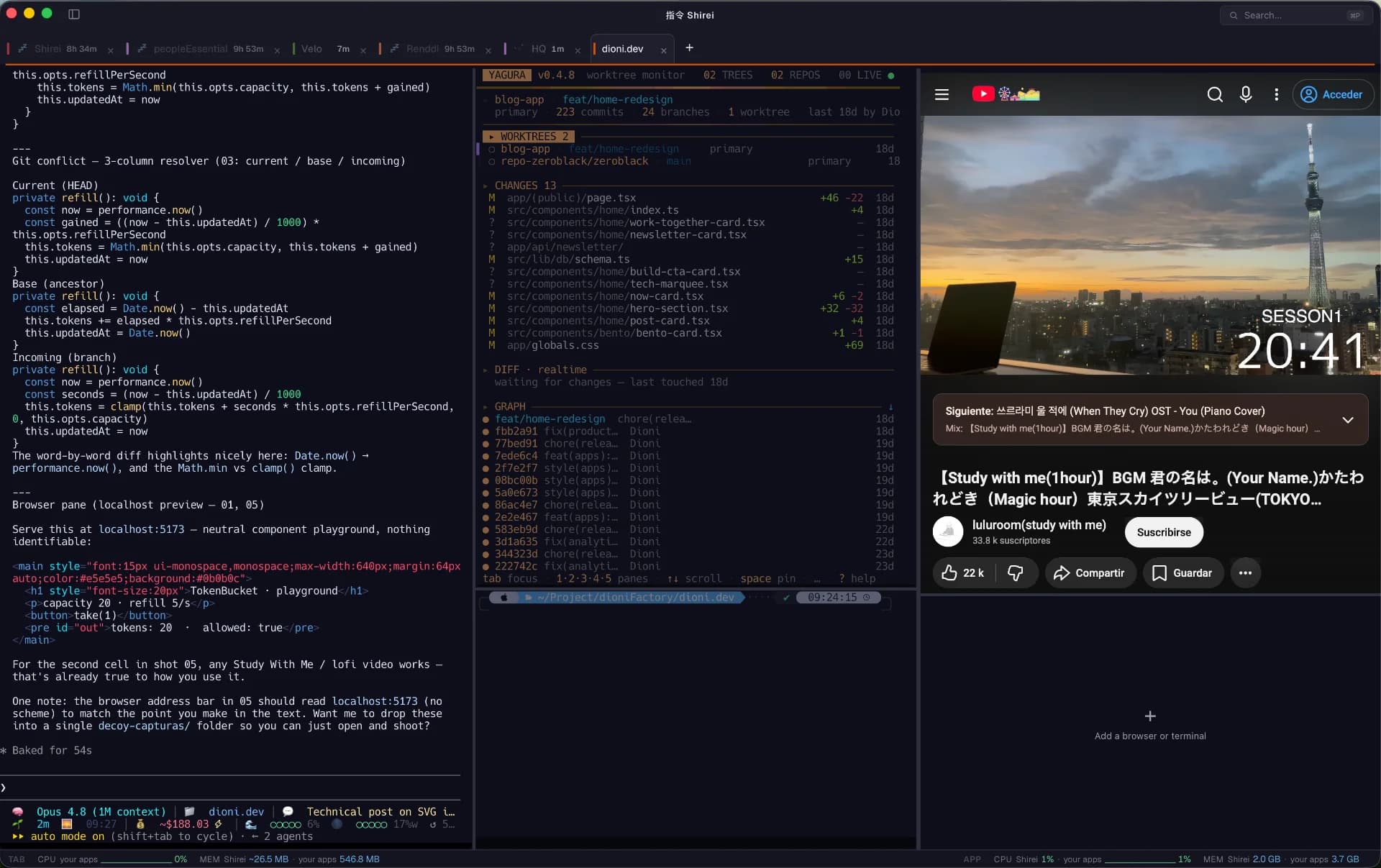
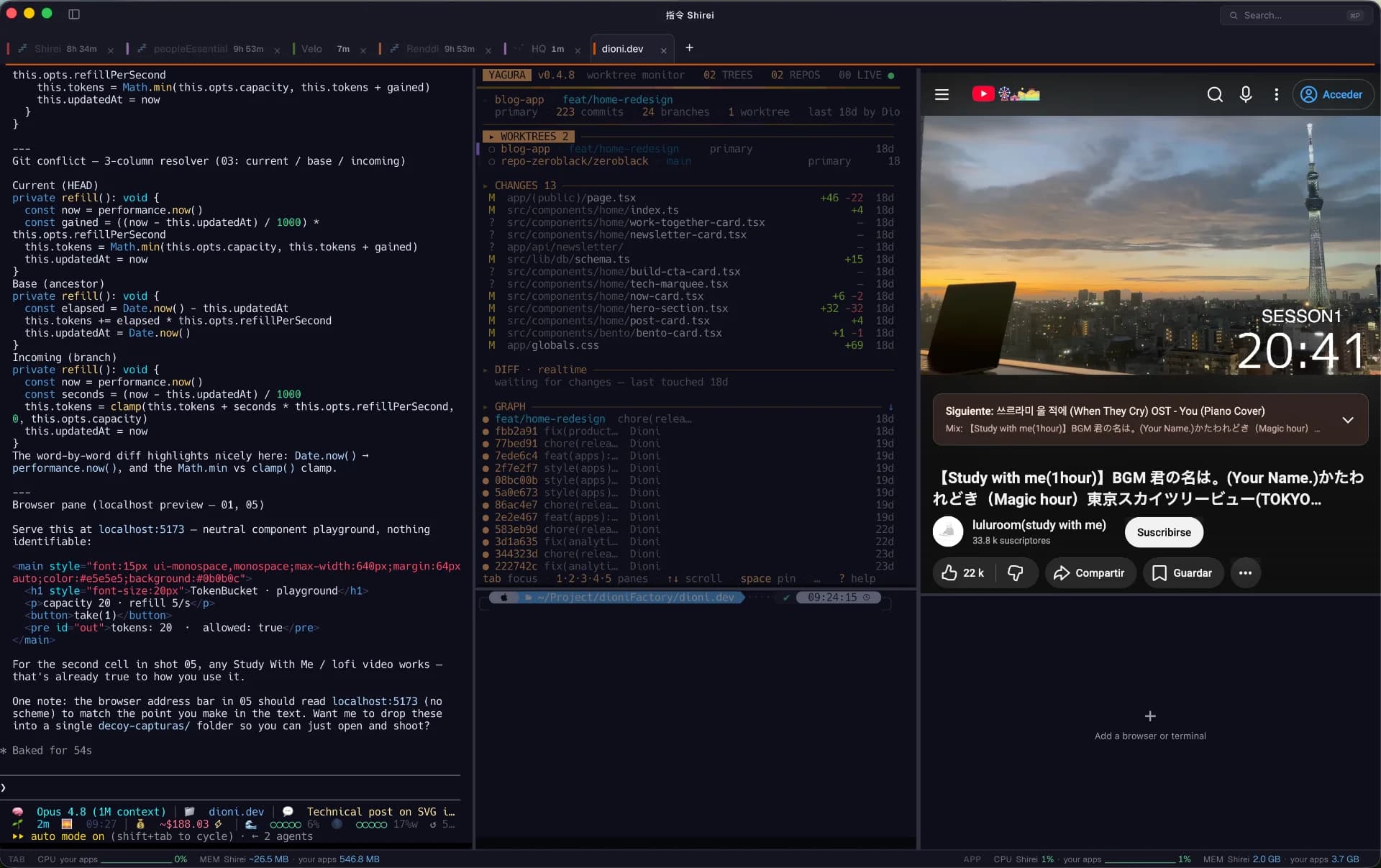
Shirei is a terminal built around the work session. I made it for those of us working multi-agent and multi-project across long AI coding sessions, where the problem is no longer writing the code but not losing sight of everything running in parallel.
It started about eight months ago, when I went all in on the agentic era. First with the GPT models, then with Anthropic's. I used whatever I had on hand as it showed up: VSCode with its first copilots, then Cursor and the option to pick the model, then Claude Code. At first I did what everyone did, I lived inside the editor, wrote and ran everything there. But over time, and with Claude's CLI, the terminal drifted to the center of how I work and the editor got used less and less, only to validate. The terminal became the place where things actually happened.
The workflow kept growing, and the sessions grew with it. So did the number of tools I needed open at once, because now my time went into instructing, writing specs, plans, reviews, and deciding... less and less into typing. The shape of the work changed, so I changed with it.
Friction kept showing up in every new corner
The first thing was running more than one agent at a time in the same project. That's where split panes earned their place, and I moved from iTerm2 to Ghostty chasing a setup that could hold two or three things at once without anything slipping past me. Then I added multi-project on top of multi-agent, and keeping the pace got hard.
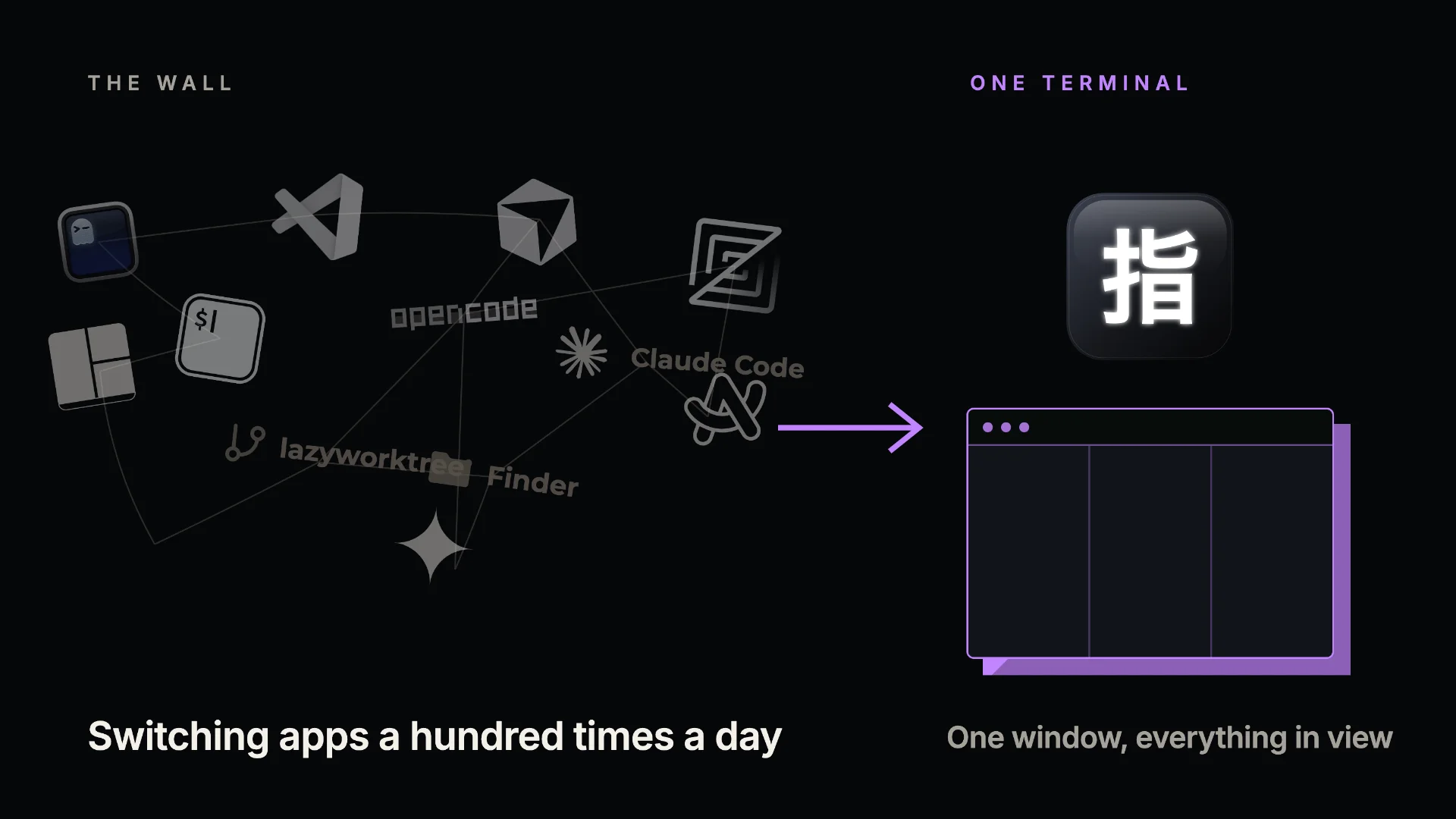
My day turned into a wall of tools open at the same time. Ghostty with tmux, lazyworktree, Claude Code, opencode, a pile of loose terminals to run commands while the agents worked, Arc on the side, VSCode open just to look at a file and the project tree. Grab the mouse, switch apps, lose two seconds here, four there, a hundred times a day. Not effective at all... it felt like friction on every cycle.
I started cloning Desktops, one for project A, another for B, and that way I ended up with 12 of them. The desktops themselves don't bother me much, but switching between them, or having to set everything up again when I moved, still added a small friction.
But the worst part of long sessions wasn't the friction, it was losing track of the agents. With several running in parallel, one would keep going in some corner and slip away from me. I'd come back to it much later, after I'd already wasted time. Like I said, I tried multiple desktops, it worked for a while, until keeping track of which desktop held which context became a job of its own. The fix had turned into a second problem.
What I wanted was simple to say and annoying to get: work with everything in view, surf between projects fast, and let nothing slip past me. I liked tmux, still do, and used it a lot. I wanted exactly that panel behavior and reconfiguration, kept even after closing the session, but without launching a command every time and without so much config, something that rearranged naturally and remembered on its own. None of the pieces I had were built around the unit of work that actually matters to me today: the session.
So I built the terminal myself. Shaped like how I actually work, not how a general-purpose tool assumes I work.
What is Shirei? The terminal for multi-agent AI coding
Shirei is a session-centered terminal, built around the work session. It's light on purpose, because the sessions it has to hold are long. I often pull fourteen-hour, multi-project days, and the tool can't be the thing that gets heavy or falls over halfway through.
It owns no model and doesn't tie you to a CLI. It runs the one you already use, whether Claude Code, opencode, or whatever you prefer. Shirei is the layer that orders them, not a replacement for them. A terminal, in the end.
What it does, and the pain each piece came from
Nothing that lives inside is flashy. Each piece removes a concrete friction I hit, over and over, for months. There are still several I'm missing and others not as polished as I'd like, but it's at a level where I feel other people can start using it. My beta-tester friends say it's good :) and others have asked for things they missed that I've been adding. But the main ones are:
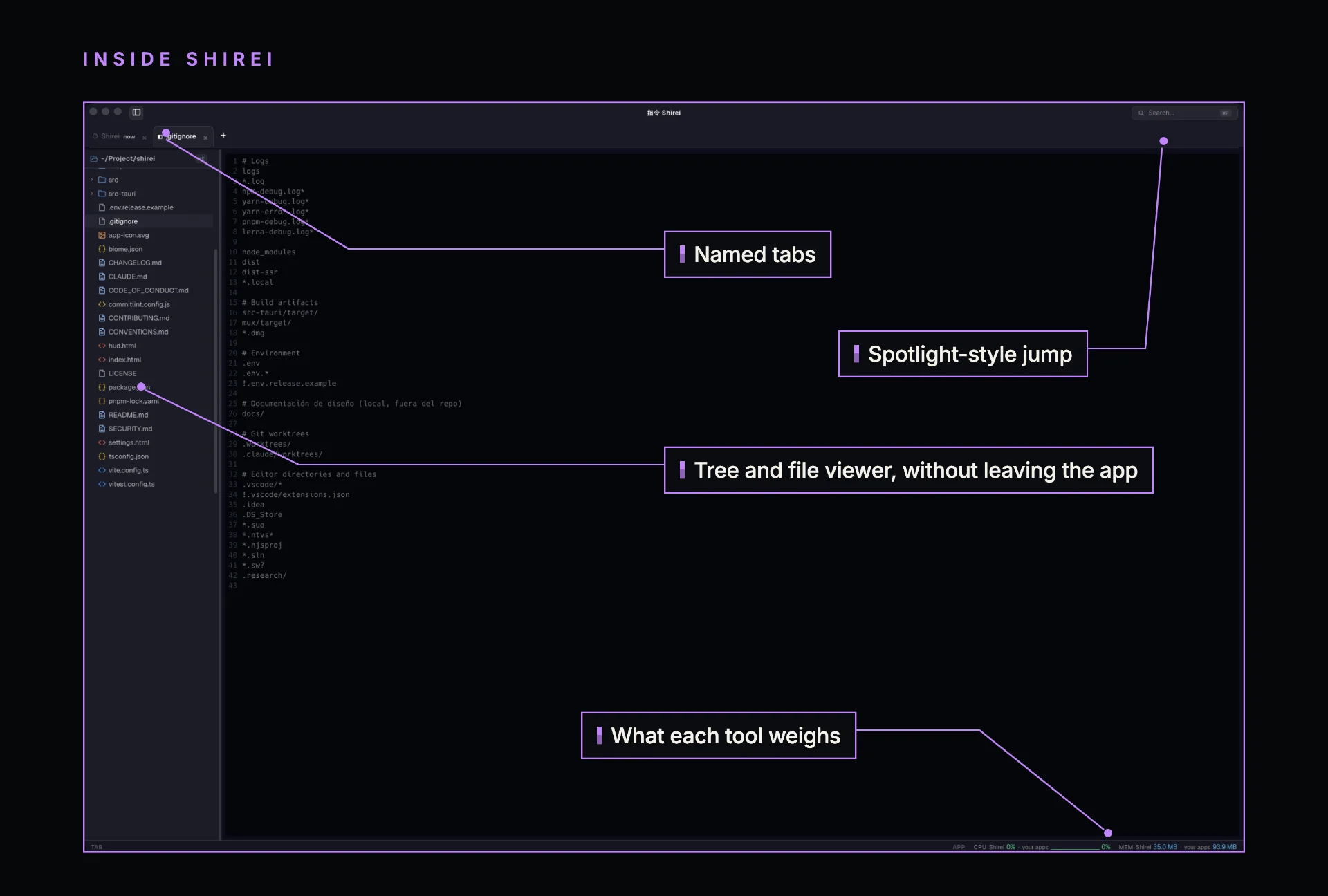
Never lose an agent again. Each tab tells you how long since you last touched it. When you have several agents running, the one moving along alone in a corner stops getting lost: you see the time since you last worked on it and you just jump to that tab.
Jump anywhere from the keyboard. Set the paths of your projects and it lets you reach any of them, a file, anything, like macOS Spotlight but inside your work environment, scoped to the session living in that tab. It's surfing between projects without taking your hands off the keyboard or switching apps.
Terminals that remember their place. It remembers your terminals and how you had them laid out. It's the tmux behavior I liked, without launching a command and without reconfiguring anything: you arrange the panes as the work needs, and next time they're right where you left them. If you came from tmux and wanted its panes without the command or the config, remembered per project, this is that.
See the code without leaving the app. Directory tree and file viewer inside. You open the file, see the structure, stay in the same window. No more VSCode open just to look at the code, or an image, a pdf, whatever.
Know what weighs. It shows you how much the app consumes, and how much each tool you spin up inside does. When you're many hours in, seeing the weight and not just the result matters.
A TODO pinned to the project. In long sessions you always need to jot something down before it slips away, something you noticed to handle once you finish the feature. A shortcut, you write it down fast and it stays tied to the session of the project you're in, not floating in a global list you'll never open again.
Together, the result is the one I was after: the day feels much more fluid, and I stopped losing sight of what runs in parallel. That line sounds small, almost nothing... after two months building it, it's the whole point.
Why I'm sharing it now
I'm building several tools I use every day... it helps me understand from the inside how things work and, along the way, I shape them to my flow to keep friction as low as possible while I develop. Shirei is the second after vibeline, but much bigger: about two months of development, a couple of friends use it and give me feedback, and it has a defined backlog and a pile of ideas I haven't even touched. I feel it's mature enough now for more people to try it and tell me where it helps and where it doesn't.
I always have a tab with Shirei changing: while I'm working on my main projects, there's an agent moving Shirei forward and improving it based on the very use I give it, so it keeps growing day by day.
For now, Shirei is alive: v0.12.0, MIT, at github.com/zeroblack/shirei. No account, no telemetry, runs the CLI you already use. If you work multi-agent and multi-project across long sessions, try it, break it, and tell me what fails. That's why I released it: if it takes even a little friction off your day, it did its job :)
Shirei in short
What it is: a session-centered terminal.
Who it's for: developers doing multi-agent, multi-project AI coding, long sessions with several agents at once.
Runs: any CLI (Claude Code, opencode, whatever you use). It owns no model.
Platform: macOS.
License: MIT. Version: v0.12.0. No account, no telemetry.
Repo: github.com/zeroblack/shirei
Built with: Tauri 2 + Rust at the core, TypeScript + Vite on the frontend, xterm.js